
Hello, dear students. How are you all? Hopefully, everyone is well by the grace of their creator. Today I will share with you. Rules for viewing HSC result 2026 with marksheet. Hopefully, you will be able to view HSC exam results with marksheet very easily through the method shown by us.
You may know about the publication of HSC results through TV and newspapers. However, before that, you must know the details about viewing the results. Otherwise, you can check the HSC exam results.
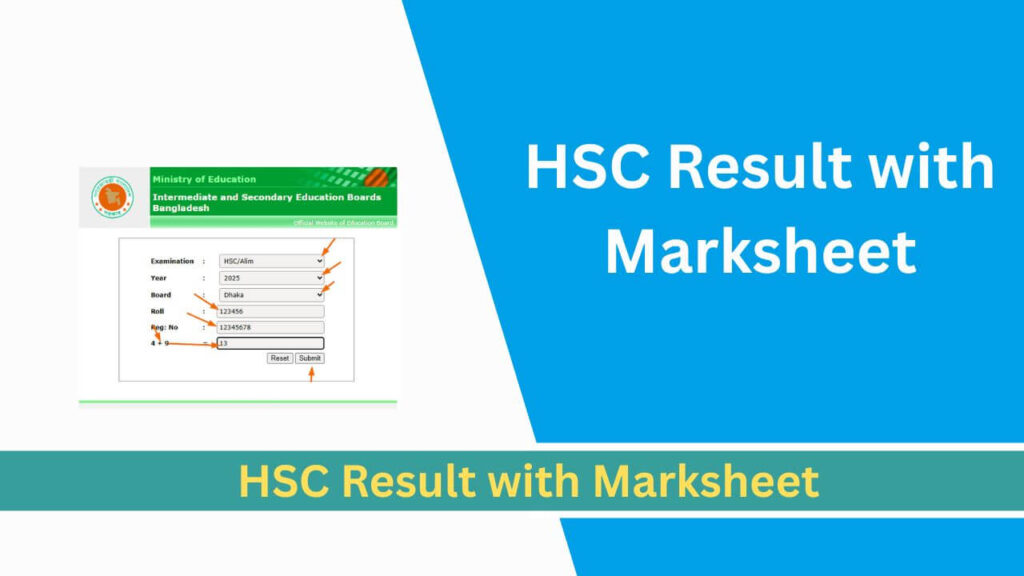
HSC result 2026 with marksheet
To view the HSC exam results under Bangladesh Education Board educationboardresults.gov.bd), you have to enter this website (www.educationboardresults.gov.bd).
Then, you can view the HSC exam results with marksheet. For your convenience, we are sharing the website details step by step below.
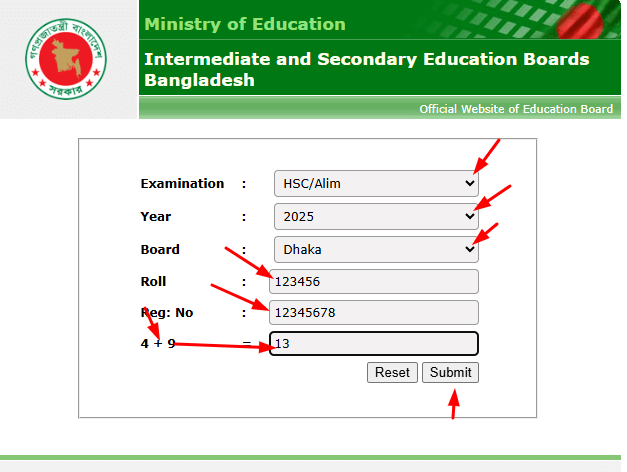
For your easy understanding, the steps to view SSC results are shared below –
- Step 1: First, you have to enter this link (educationboardresults.gov.bd).
- Step 2: Then, in the Examination option, you have to select HSC/Alim.
- Step 3: Then, in the Year option, you have to select 2026.
- Step 4: Now, in the Board option, you have to select the name of your respective board.
- Step 5: Then, in the Roll option, you have to enter the roll number of your admit card.
- Step 6: Then, in the Reg: No option, you have to enter the registration number in English.
- Step 7: Then, 9+8 can be any number on the left side. So, their sum may be different. You have to write it in the blank code.
Then, after everything is filled correctly. You have to click on the Submit button below. Then, you will be able to see the HSC exam results with the marksheet.
Rules for viewing HSC result with marksheet
If you cannot view the results through the above website. Then, you can view the results very easily through this website of Bangladesh Education Board (eboardresults.com). You can view the results of this website through the same rules as above. Because, it is an additional server of the above website.
Rules for retrieving HSC result through SMS
If you cannot view the results through the above website. Then, all of you can view the results through the SMS system below. However, you can view the results for free through the above two websites.
But! A charge of 2 taka 50 paisa will be deducted from the SIM of any operator for viewing the results through the SMS method.
HSC results through SMS: HSC<space> First 3 Word Board Name <space> Roll <space> 2026 and send it to 16222.
Example: Write SSC JES 83456 2026 and send it to 16222.
Our final words:
Hopefully, you have learned the complete details of the rules for viewing HSC Result 2026 with marksheet through the method shown on our website. If you like our report today, please share this post with your dear friends. Thank you.
HSC Result 2026 with Marksheet , HSC Result 2026 with Marksheet , HSC Result 2026 with Marksheet , HSC Result 2026 with Marksheet, HSC Result 2026 with Marksheet, HSC Result 2026 with Marksheet, HSC Result 2026 with Marksheet.